Power Automate: Using trigger conditions with scheduled flows
Have you ever wanted to run a scheduled flow with more specific timing than the built-in scheduler allows? You can combine scheduled flow triggers with trigger conditions to only run on certain days of a month.
Want to only run the flow on the first of the month?
Set the flow to run daily and add the following trigger condition:
@equals(dayOfMonth(utcNow()), 1)
This expression checks that the current day is the 1st day of the month.
Want to only run on the first Monday of the month?
Set the flow to run weekly on Mondays and add the following trigger condition:
@lessOrEquals(dayOfMonth(utcNow()), 7)
This expression is checking to see if the current day is in the first 7 days of the month, and because it's only running on Mondays with the schedule the flow will only run that first Monday.
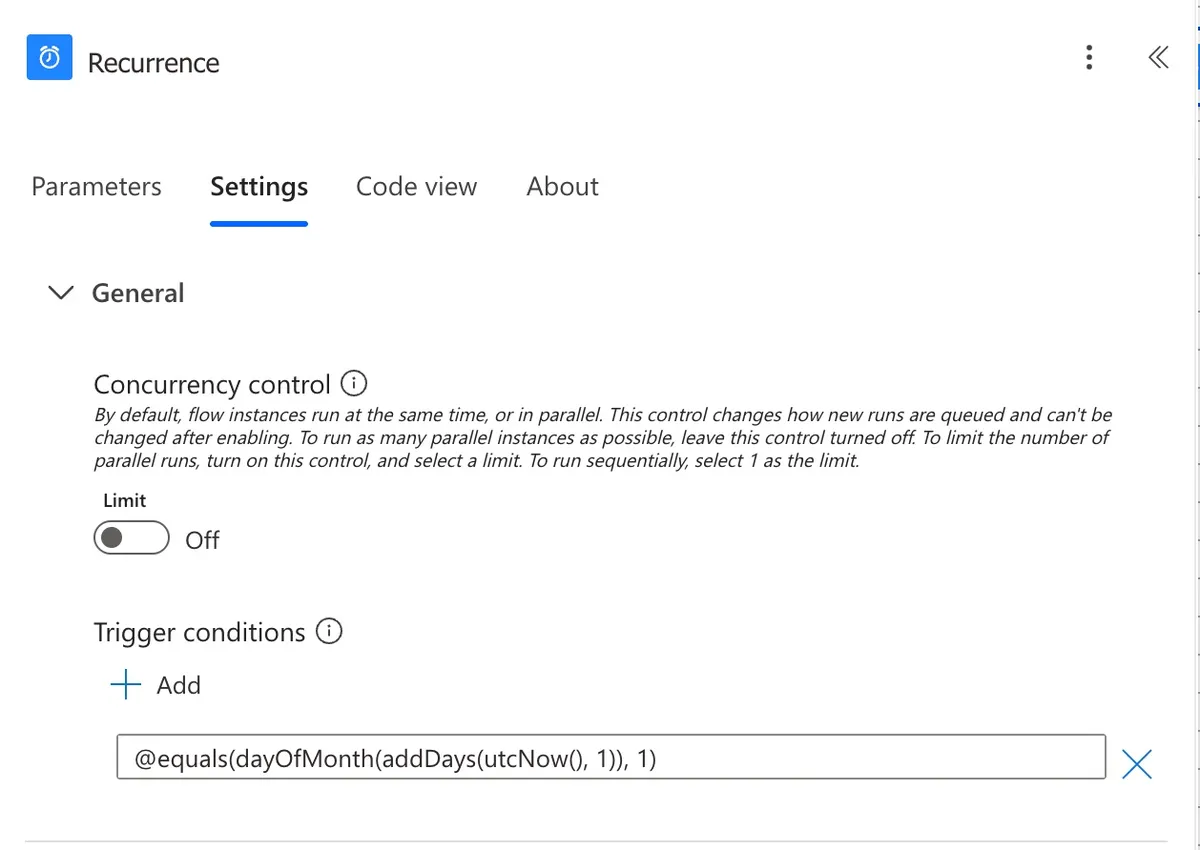
Want to only run on the last day of the month?
Set the flow to run daily and add the following trigger condition:
@equals(dayOfMonth(addDays(utcNow(), 1)), 1)
This expression checks to see if tomorrow is the 1st day of the month.
You can use these examples and more to provide more granular control over when a flow runs on schedule, using a combination of the built-in scheduling rules plus trigger conditions.