Dataverse: Easily update lookup columns to the User table via Power Automate
Originally posted to my LinkedIn on July 15, 2025
Have you ever needed to add a reference to another user in Dataverse via Power Automate, but you only have their Entra Object ID? While yes, you could do a List Rows action against the User table and filter by that Entra ID, did you know instead you can save an entire step and update that lookup reference with only the Entra ID?
Alternate Keys in Dataverse seems to be a topic that’s not been frequently covered. While doing some research recently and configuring a dataflow to a table that had a lookup to the User table, I realized that an alternate key is built into the User table to make it super easy to update a lookup to the table with a user’s Entra Object ID via Power Automate saving on flow run time and requiring you to configure fewer actions.
Implementing in a cloud flow
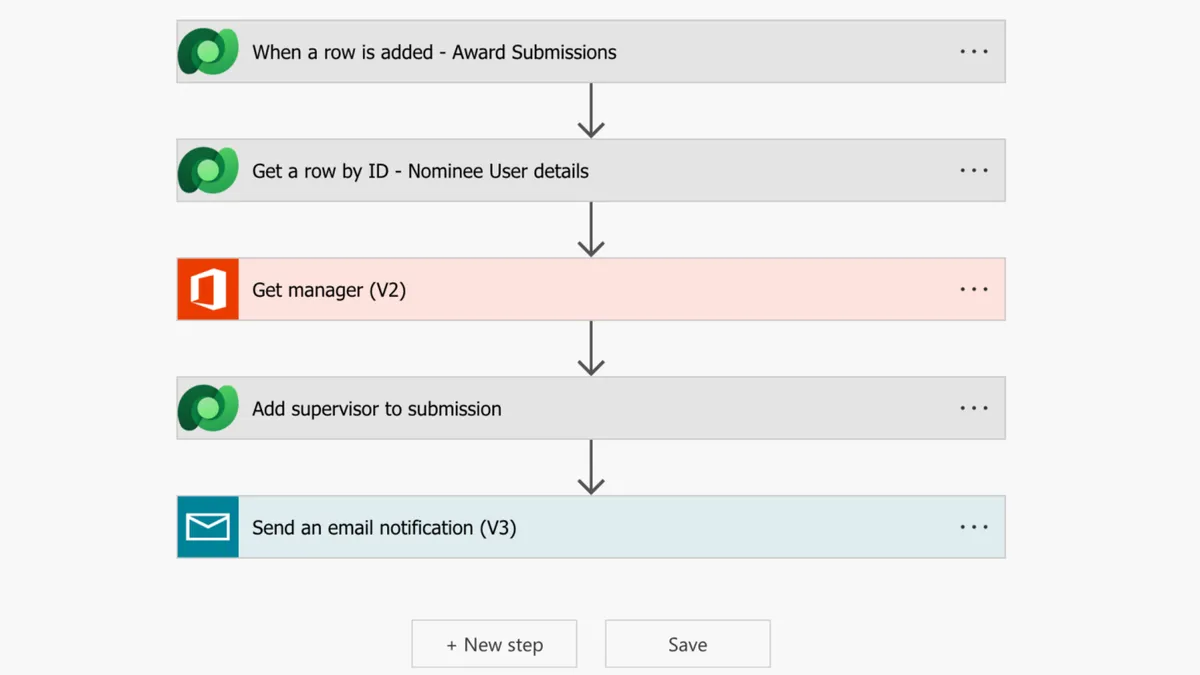
Here’s a simple example of a cloud flow to take in a new submission, get a nominee’s manager information and update the entry + send a notification.
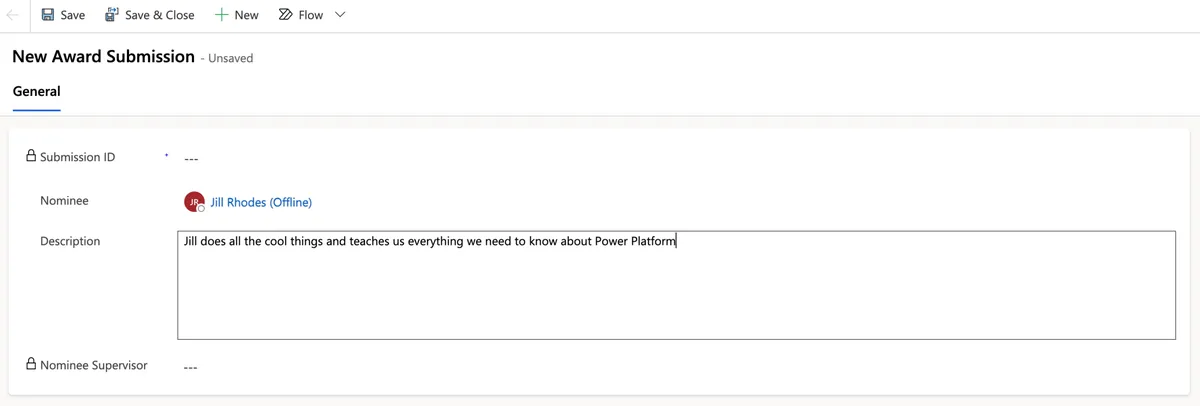
Starting at the top, we’re adding an entry to the Award Submission table which contains a Nominee field (also a lookup to the User table)
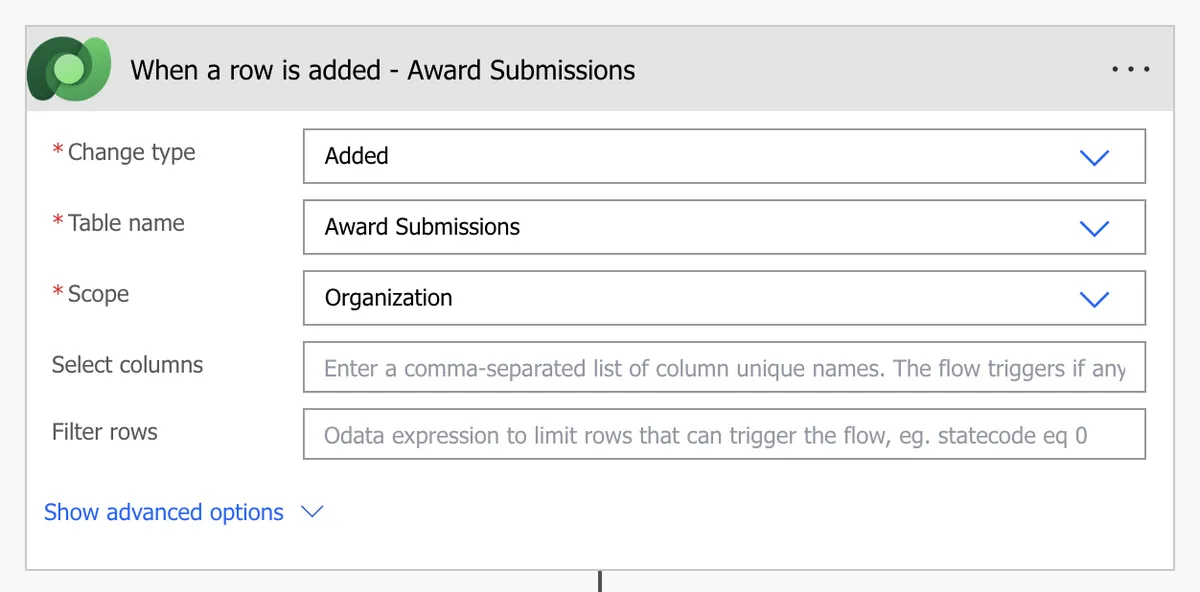
The cloud flow is triggered whenever a new item has been added to the table.
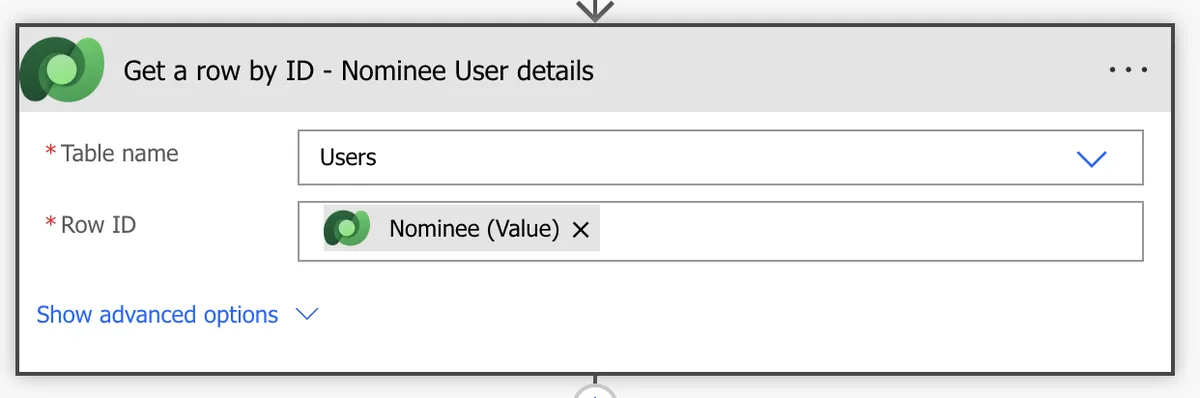
The first action we’re going to take is to get the User table details for the Nominee field so that we have all those details, including the nominee’s Entra ID.
Once we have the User record for the nominee, we’re going to use the Office 365 Users – Get Manager (V2) action to return that user’s manager out of Entra. This action can accept either the UPN or Entra Object ID, so we’re passing in the Azure AD Object ID field from the previously retrieved User table entry.
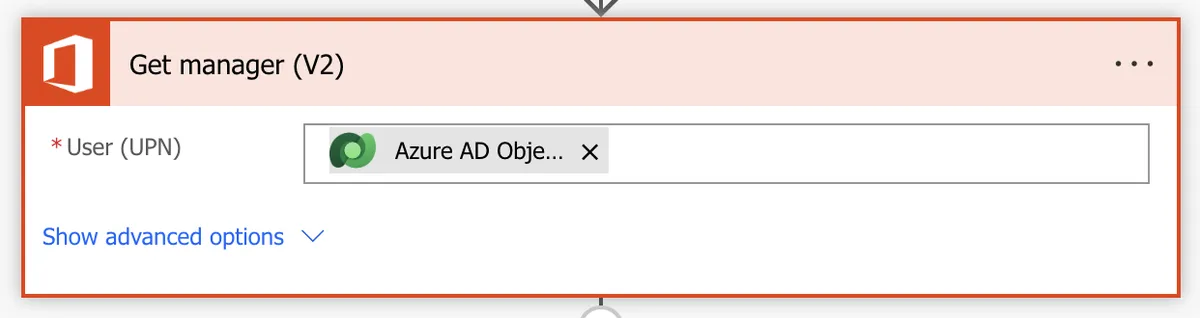
Once we’ve retrieved the manager details via the Get Manager (V2) action, we can populate the Nominee Supervisor field.
As mentioned at the beginning of this post – there is an alternate key already setup on the Users table that maps to Entra Object ID. This allows you to reference an entry in the table by the configured columns, rather than default unique identifier column.

To use this in the cloud flow, you’ll need the logical name of the column being referenced, rather than the name of the key itself. To get this you can go to Advanced > Tools > Copy logical name.
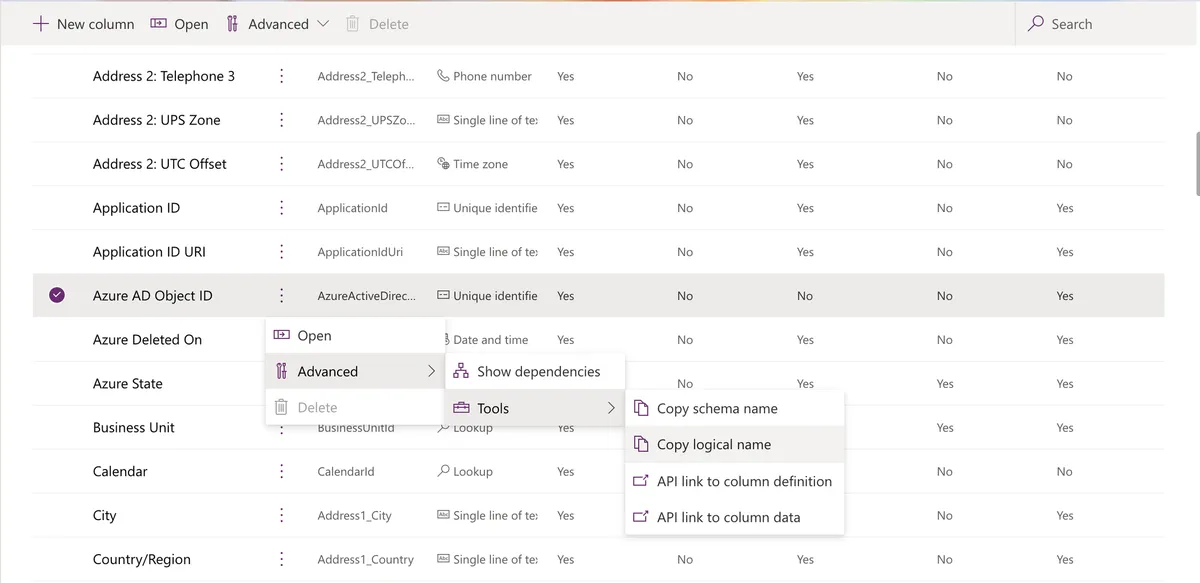
In the cloud flow instead of using the unique identifier from the row you want to reference in the lookup, you’ll instead use the column associated with the key plus that value. For the purposes of the User table it would be formatted like:
systemusers(azureactivedirectoryobjectid=EntraObjectId)
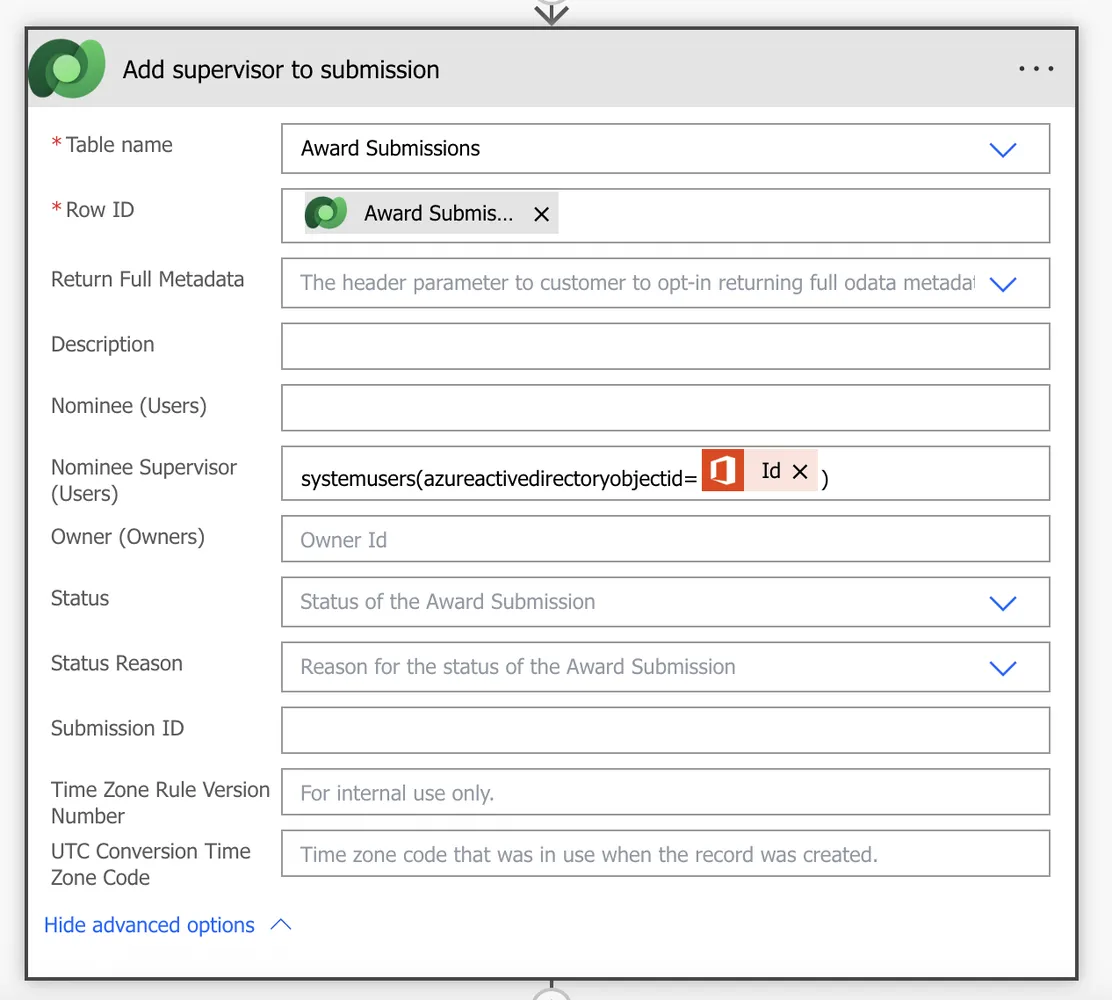
The entry after the flow runs now looks like:
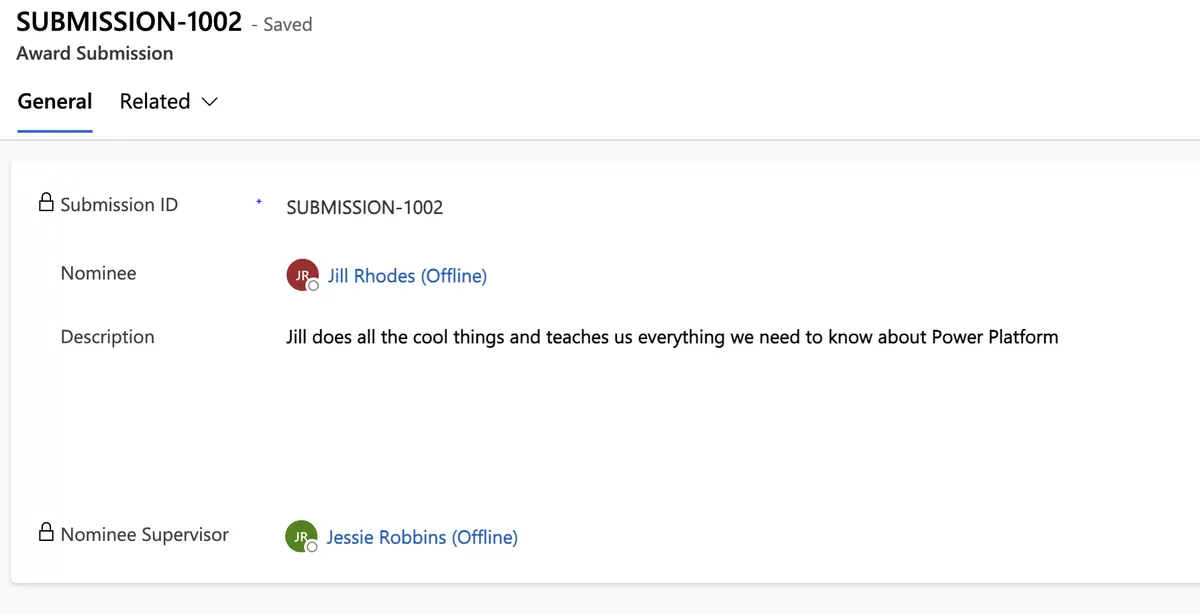
Additional resources related to lookups and alternate keys
Matthew Devaney has a really great write-up of populating a lookup via Power Automate that’s a super-helpful reference if you haven’t worked with Dataverse lookups in Power Automate before. Power Automate: Update A Lookup Column In Dataverse.
James Yumnam and Heidi Neuhauser both have write ups of alternate keys that were instrumental in understanding just how powerful these can be and things to consider when configuring them if you want to dive even deeper into ways alternate keys can be used. Demystified the Alternate Keys in Dataverse Tables and Unlocking Data Integrity: Implementing Alternate Keys in Microsoft Dataverse.