Canvas app: Creating a select all/clear all option for checkboxes in a gallery
When using checkboxes in a gallery control, you may want to provide an option to select all items in the gallery or clear all selected items in the gallery. This can be especially helpful when using the checkbox to choose which items a Patch function applies to. The select all and clear all options also provides a useful user experience for your end users.
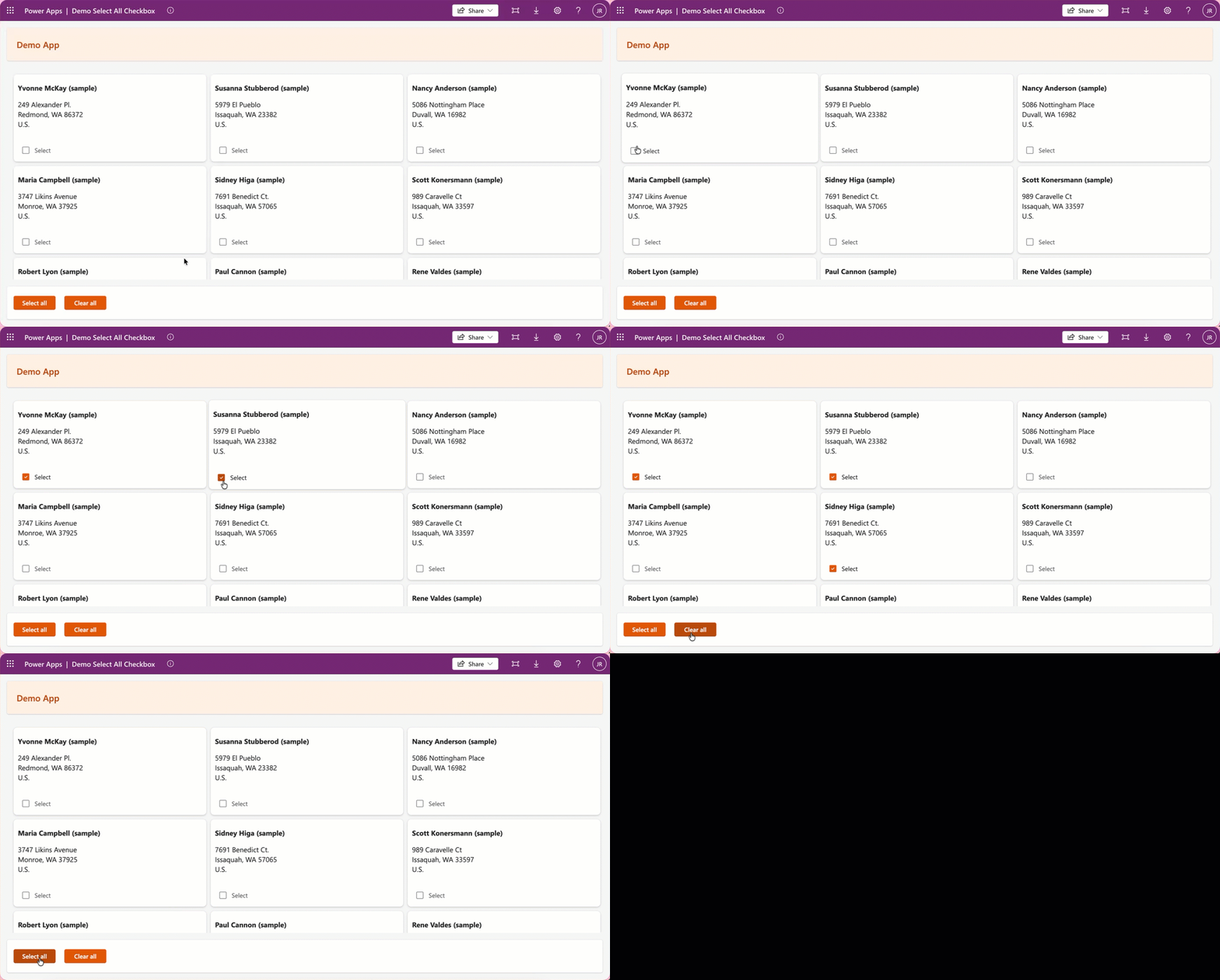
Apply the following settings for this to function as expected.
On the screen control
| Property | Value |
|---|---|
| OnVisible | Set(allChecked, false) |
On the checkbox control
| Property | Value |
|---|---|
| Checked | allChecked (this is a variable reference) |
| OnCheck | Collect(colItemsToProcess, ThisItem) |
| OnUncheck | Remove(colItemsToProcess, ThisItem) |
On the "Select all" button
| Property | Value |
|---|---|
| OnSelect | Set(allChecked, true);ClearCollect(colItemsToProcess,Gallery.AllItems); |
On the "Clear all" button
| Property | Value |
|---|---|
| OnSelect | Set(allChecked, Blank());Set(allChecked, false);Clear(colItemsToProcess); |
Important Note
Setting allChecked to blank first ensures that the checkbox gets cleared from individually selected items. Otherwise it doesn't recognize that a reset needs to occur on those individually selected items.